1
Research the Click Environment
Search your target keyword on YouTube and study the top results. Your thumbnail will sit next to those videos. Design something that stands out from that specific group.

Testimonials
Realized most of my thumbnails looked washed out in dark mode. Fixed the contrast and background colors on my last 20 videos and average CTR improved from 3.2% to 5.8% across the board.
Marcus Taylor
Productivity channel, 128K subs
The tip about designing for mobile first sounds obvious but I was not doing it. Checked my analytics and 78% of my viewers are on phones. Redesigned my thumbnail approach and results were immediate.
Hannah Kim
Beauty creator, 74K subs
I used to design thumbnails that looked great on my 27-inch monitor. Turns out they were completely unreadable on the phone where most people see them. Fixed text sizing and CTR jumped 40%.
David Okonkwo
Coding tutorials, 91K subs
Understanding how YouTube's algorithm uses CTR to decide recommendations changed my entire strategy. Thumbnails are not decoration. They are the lever that controls how many people YouTube shows your video to.
Sofia Reyes
Spanish learning channel, 53K subs
Examples
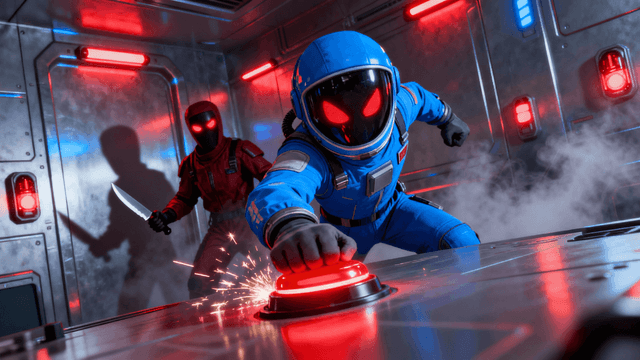
Real how to make a good thumbnail for youtube examples from creators








How It Works
Search your target keyword on YouTube and study the top results. Your thumbnail will sit next to those videos. Design something that stands out from that specific group.
Start with mobile dimensions in mind. If your text and face are clear at phone size, they will look even better on tablets and desktops.
Check your thumbnail against white and dark gray backgrounds. Over half of YouTube users browse in dark mode. Make sure your image pops against both.
Upload your thumbnail, check CTR in YouTube Studio after 48-72 hours, and swap in a variation if the numbers are below your channel average.
Who It's For
Creators who understand YouTube analytics and want thumbnails optimized for CTR
Channels where the content is solid but the algorithm is not pushing the videos
YouTubers who want to understand the platform-specific factors that affect thumbnail performance
Anyone whose CTR is stuck below 5% and cannot figure out why
Try These
“Person reacting with wide eyes and hands on cheeks, bright red background, yellow bold text, extreme close-up face shot, classic YouTube reaction thumbnail”
“Side-by-side comparison with green check on left and red X on right, product review style, clean minimal layout, tech review aesthetic”
“Person pointing directly at camera with confident expression, gradient background from dark blue to black, motivational energy, coaching or advice video”
Benefits
YouTube's recommendation system monitors your video's click-through rate closely in the first 24-48 hours after publishing. If the CTR is strong relative to your impressions, YouTube shows the video to more people. If the CTR is weak, distribution slows down. A good thumbnail is not just about looking nice. It is the mechanism that tells YouTube your video deserves more reach.
Most thumbnail advice is written as if viewers are studying each thumbnail carefully on a large screen. In reality, 70% of YouTube watch time happens on mobile. Viewers scroll fast, glance for half a second, and make instant decisions. Designing for this reality means bigger text, brighter colors, and simpler compositions than you would use for a print design or a website hero image.
Changing the thumbnail on an existing video is the easiest optimization you can make. YouTube re-evaluates the video when the thumbnail changes, giving it a fresh chance in recommendations. Creators with back catalogs of 50 or 100 videos often find that fixing thumbnails on their top 10 videos drives more total growth than publishing a new video would.
Every thumbnail you create and test adds to your understanding of what your specific audience responds to. After testing 20-30 thumbnails and tracking CTR on each one, you develop instincts that are grounded in real data, not generic advice. Your 50th thumbnail will be significantly better than your 5th, and the creation process will feel effortless.
Thumbnail Studioo handles the YouTube-specific requirements automatically. Our AI thumbnail generator creates images at exactly 1280x720 with high saturation and contrast built in. The thumbnail editor lets you adjust text placement to avoid YouTube's UI overlays. Sign in and create thumbnails optimized for YouTube's platform.
Generate thumbnails built for YouTube's platform: 1280x720 resolution, high contrast for dark mode, and bold text readable on phone screens. Test variations and keep what works.
Create a YouTube ThumbnailFree 7-day trial • Cancel anytime
FAQ
YouTube tracks how many people click your thumbnail relative to how many people see it. This is your click-through rate. When a new video has a strong CTR in its first 24-48 hours, YouTube interprets this as a signal that the content is interesting and shows it to more people. A weak CTR causes YouTube to slow down distribution. Your thumbnail directly controls this lever.
The platform average is around 4-5%. Anything above 7% is strong. Above 10% is exceptional and usually means YouTube is aggressively recommending your video. Your specific benchmark depends on your niche and audience size. Focus on improving relative to your own channel average rather than chasing an absolute number. Even a 1% CTR improvement across all videos compounds significantly.
Yes, significantly. YouTube dark mode uses a near-black background, which means thumbnails with dark edges or dark colors can blend into the page and become almost invisible. Test your thumbnail by placing it on a dark gray background. If the edges disappear or the overall image feels dim, increase the brightness, add a subtle border effect, or use lighter background colors.
Give each thumbnail at least 48-72 hours to accumulate enough impressions for meaningful data. If the CTR is below your channel average after that window, try a variation. Some creators test 2-3 versions in the first week. After the video is a week old, settle on the best performer and leave it unless CTR drops noticeably over time.
Both work well for different reasons. Real photos feel authentic and set accurate expectations for the video content. AI-generated images can be more visually striking and designed specifically for click appeal. Many top creators use a hybrid approach: they take a real screenshot and then enhance it with better lighting, background removal, or added text and graphics.
More Use Cases