1
Describe Your Video
Tell the AI about your video content and the specific moment or concept you want to highlight. Focus on what makes your video worth watching.
Examples









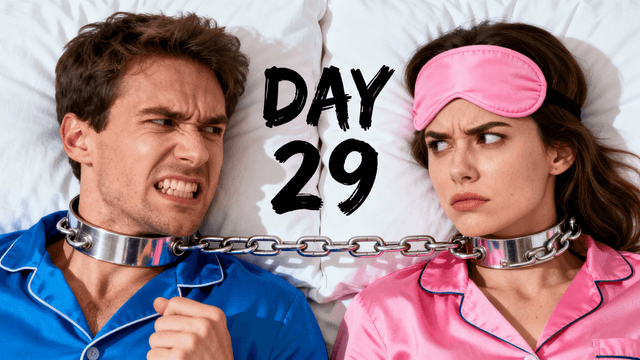
How It Works
Tell the AI about your video content and the specific moment or concept you want to highlight. Focus on what makes your video worth watching.
Get multiple thumbnail options designed to convert impressions into clicks. Each emphasizes different visual approaches to attract viewers.
Use AI editing to adjust colors, text, or composition. Tailor the thumbnail to what resonates with your specific viewer base.
Download in HD and upload to YouTube. Monitor your analytics to see how the new thumbnail affects view counts.
Who It's For
YouTubers watching impressions in analytics but not seeing matching view counts
Creators who lose clicks to competitors showing up next to them
Channels with good content buried by underperforming thumbnails
Anyone who wants to maximize the views they get from existing impressions
Try These
“Person with excited expression pointing at something impressive off-screen, bright colorful background, welcoming gesture like inviting viewer to see what they found”
“Transformation result reveal with person proudly showing outcome, before state visible in corner or background, clear success story composition, warm lighting”
“Intriguing mystery element partially hidden with person reacting to it, curiosity-driving composition, dramatic shadows, viewer wants to know what it is”
Benefits
Your video appears in feeds and search results. Better thumbnails mean more of those impressions become actual views.
When your video appears alongside others, a stronger thumbnail helps you win the click over competitors.
Update thumbnails on existing videos to give them new life. Better thumbnails can resurrect underperforming content.
Strong initial CTR signals to YouTube that your video is worth recommending. Good thumbnails help you get that early traction.
Thumbnail Studioo's AI thumbnail generator creates thumbnails designed to win clicks. When your video appears next to competitors, yours needs to stand out. AI creates bold, high-contrast visuals that make viewers pick you. Use our YouTube thumbnail editor to refine and add text. Sign in to start getting more views.
Create thumbnails that turn impressions into views. Improve your YouTube performance.
Create View-Boosting ThumbnailFree 3-day trial • Cancel anytime
FAQ
You may see CTR changes within hours, but give it 48-72 hours for meaningful data. View counts follow CTR improvements over days to weeks.
Generally no. If a video is performing well, avoid changes. Focus thumbnail improvements on underperforming content.
Start with 2-3 significantly different approaches. YouTube does not have built-in A/B testing, so you need to change and track manually.
Not inherently. YouTube continues showing your video. A worse thumbnail could reduce clicks, but a better one improves them. Always track your results.
Both work together and both matter significantly. A great thumbnail with a weak title (or vice versa) underperforms. Optimize both.