Thumbnail Studioo logo

AI Thumbnail Maker for YouTube Videos - Purpose-Built for Creators

Generic design tools weren't made for YouTube. They don't understand 1280x720, mobile viewing, or what makes people click. You need a tool built specifically for YouTube thumbnails.
Start Making Thumbnails

How Thumbnail Studioo Helps

Describe your video and Thumbnail Studioo's AI generator creates matching thumbnails. Use our YouTube thumbnail editor to refine with text, effects, and adjustments. Export at exact YouTube dimensions. Sign in to start.

Testimonials

Here's what our users are saying...

Every other tool I tried was built for social media posts or presentations. This is built for YouTube. The difference is huge. 1280x720 export, mobile preview, CTR optimization. Finally.

DM

Derek Martinez

Travel vlogger, 289K subs

I upload 5 videos a week. Making custom thumbnails in Photoshop was killing my workflow. AI generates them in 30 seconds now. My upload schedule is sustainable again.

SL

Samantha Lee

Daily content creator, 156K subs

The mobile preview changed everything. I was designing on desktop and my thumbnails looked terrible on phones. Now I check mobile first. CTR went up 35%.

JH

Jordan Hayes

Gaming channel, 412K subs

Finally a tool that gets YouTube. Not adapted from something else. Built from scratch for creators. Face swap, version history, YouTube dimensions. All the features I actually need.

PK

Priya Kapoor

Tech reviews, 178K subs

Examples

Thumbnail Gallery

Real thumbnail examples

ai thumbnail maker for youtube videos thumbnail example - Swimming with sharks
ai thumbnail maker for youtube videos thumbnail example - I Went Cage Diving With Crocodiles
ai thumbnail maker for youtube videos thumbnail example - I survived 24 hours in the ocean
ai thumbnail maker for youtube videos thumbnail example - I survived 90 days in antarctica
ai thumbnail maker for youtube videos thumbnail example - I Confronted My Biggest Fear
ai thumbnail maker for youtube videos thumbnail example - Cheapest vs Most Expensive Private Jet
ai thumbnail maker for youtube videos thumbnail example - I built my own private jet
ai thumbnail maker for youtube videos thumbnail example - F1 Driver Goes Undercover in Amateur Kart Race
ai thumbnail maker for youtube videos thumbnail example - I Flew the SAME AIRLINE for $100, $1,000, $10,000 & $30,000!
ai thumbnail maker for youtube videos thumbnail example - Trapped for 24 Hours! Help!
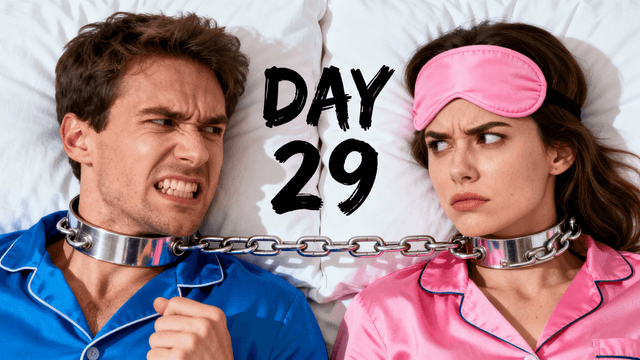
ai thumbnail maker for youtube videos thumbnail example - Survive 30 Days Chained To Your Ex.
ai thumbnail maker for youtube videos thumbnail example - You won't believe what i found

How It Works

Create Thumbnails in 4 Simple Steps

1

Enter Your Video Info

Give AI your title, description, or just describe what you want. It understands YouTube content.

2

Get CTR-Optimized Images

AI generates thumbnails using proven principles. Bold colors, clear subjects, emotional hooks.

3

Edit with YouTube Tools

Fonts tested for thumbnail readability. Mobile preview shows exactly how it looks in YouTube feeds.

4

Export YouTube-Ready

HD, 2K, or 4K. Perfect 16:9 ratio. Upload to YouTube Studio without issues.

Who It's For

Built For

YouTubers who upload regularly and need thumbnails faster than traditional design

Creators who know exactly what they want but lack the skills to design it themselves

Channels that want consistent professional quality across every video

Anyone frustrated with generic design tools that weren't built for YouTube specifically

Try These

Example Prompts

YouTuber sitting in front of a microphone looking directly at camera, warm studio lighting, blurred background with equipment visible, confident expression

Person opening a mystery package with curious expression, hands pulling out something glowing, dramatic side lighting, anticipation mood, room for text at top

Comparison shot with old rusty car on left and shiny new sports car on right, person standing between them looking amazed, bright daylight, transformation story

Benefits

Why Choose Thumbnail Studioo?

YouTube-Only Focus

Not adapted from a photo editor. Every feature exists because YouTube creators need it. Dimensions, CTR, mobile preview. All YouTube-specific.

AI Knows What Gets Clicks

Trained on high-performing YouTube thumbnails. It understands contrast, expressions, curiosity gaps, text placement.

Fits Creator Workflows

Daily uploads? Fast generation. A/B testing? Version history. Multiple channels? Project organization. Real workflows.

Mobile Preview Built In

70% of YouTube happens on phones. See exactly how thumbnails look small before you export. No surprises.

Best Practices

Tips for Making Great Thumbnails

Always check mobile preview before exporting. What looks great on desktop can fail on phones. Most YouTube views happen on mobile so test at small sizes first.

Use AI as your starting point then customize for your niche. AI generates optimized thumbnails but your audience knowledge matters. Adjust colors and style for your viewers.

Stay visually consistent across videos. Use similar colors, text styles, and compositions so viewers recognize your thumbnails instantly in their feed.

Add expressive faces when relevant. YouTube data shows faces with clear emotions (happy, shocked, curious) get significantly more clicks than neutral expressions or no faces.

Keep thumbnail text to 3-5 words maximum. YouTube already displays your full title below the thumbnail. Use the thumbnail text to tease or highlight, not repeat the title.

Common Mistakes

What to Avoid

Using generic design tools not built for YouTube. Tools made for presentations or social media posts miss YouTube-specific requirements like 1280x720 dimensions and mobile optimization.

Skipping the mobile size check. 70% of YouTube viewing happens on phones. If your thumbnail doesn't work at small sizes, you lose most potential viewers.

Cramming too many elements into one thumbnail. Thumbnails appear small in feeds. One clear focal point beats five competing elements fighting for attention.

Copying competitor thumbnails exactly. Get inspired by what works but add your unique style. Viewers should recognize YOUR content specifically, not just the genre.

Never A/B testing or updating poor performers. YouTube Studio lets you swap thumbnails. If CTR is low after 48 hours, generate a new version and test it.

Thumbnails Built for YouTube

Stop using generic tools. AI generation, CTR optimization, mobile preview, perfect dimensions. Made for YouTube.

Start Making Thumbnails

No credit card required • Free plan available

FAQ

Frequently Asked Questions