1
Describe
Write a detailed prompt with subject, style, colors, mood, and composition.

Learn to write detailed prompts that get you exactly what you imagined. Our AI thumbnail generator responds to specific descriptions - subject, style, colors, mood, lighting. Type 30 words describing the scene instead of 3, get results that match your vision. Then customize in the thumbnail editor and export. Sign in and try your first prompt.
Testimonials
Used to type "gaming thumbnail" and get random stuff. Started describing the actual scene and mood. Night and day difference. Now my prompts are like 40 words but the results are exactly what I need.
Ryan Foster
Gaming channel, 156K subs
I thought prompts were about magic keywords. Nah it's just being specific. "Person looking shocked" vs "person with mouth open in surprise, bright lighting, colorful background". Second one actually works.
Nina Patel
Reaction videos, 89K subs
First time I got a thumbnail that looked exactly like what was in my head. The trick is describing everything - the subject, the colors, the lighting, the mood. AI needs details.
Chris Daniels
Tech tutorials, 203K subs
Started saving my best prompts as templates. Now I just swap out the subject and keep the style parts. Consistent look across all my thumbnails without starting from scratch every time.
Amanda Wright
DIY channel, 67K subs
Examples
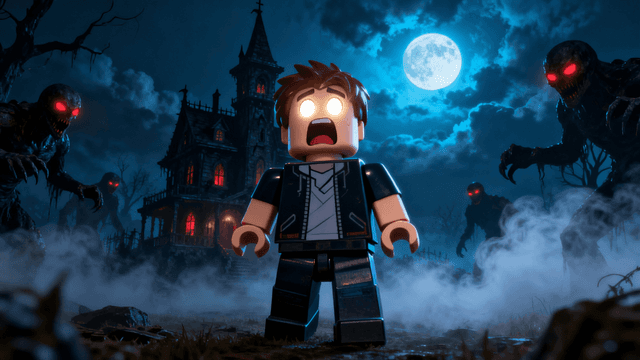
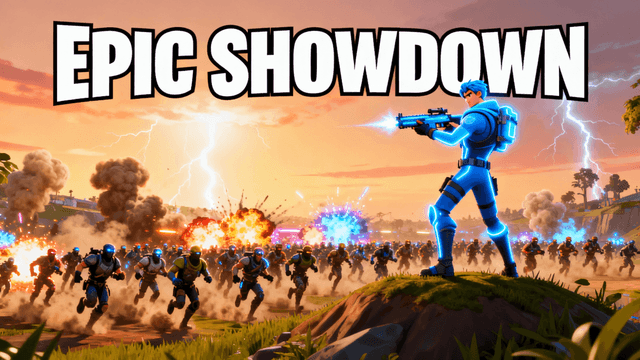
Real thumbnail examples


How It Works
Write a detailed prompt with subject, style, colors, mood, and composition.
AI creates multiple thumbnail variations based on your prompt.
Refine with additional prompts or adjust directly in the editor.
Export at 1280x720, ready for YouTube upload.
Who It's For
Creators who tried AI thumbnails but got generic results from vague prompts
YouTubers who can visualize exactly what they want but struggle to communicate it to AI
Channels that want consistent visual style across thumbnails using reusable prompt templates
Anyone willing to spend 2 minutes writing a detailed prompt to get professional results
Try These
“Person with shocked expression discovering huge pile of cash in old suitcase, dramatic lighting with dust particles in sunbeam, warm golden tones, photorealistic style, composition leaving space at top for text”
“Gaming setup with neon RGB lights reflecting off desk, dark room aesthetic, purple and blue color scheme, cinematic angle looking over shoulder at screen, dramatic moody atmosphere”
“Split screen before and after comparison, messy room on left transforming into organized space on right, bright clean lighting, satisfying transformation, clear division down the middle”
Benefits
Your words control the output. Describe the subject, style, colors, mood, and composition in detail. Specific prompts give specific results. Vague prompts give random outputs. The skill is learnable.
Prompt not working? Adjust two words and regenerate. Takes 30 seconds per attempt. Traditional design tools require starting over. With prompts, you refine until it matches your vision.
Save prompts that work. Reuse style descriptions across thumbnails for consistent branding. Change the subject, keep the mood and colors. Your channel develops a recognizable visual identity.
You don't need to know Photoshop, color theory, or composition rules. You just need to describe what you want in normal words. AI handles the technical execution.
Best Practices
Structure your prompts in order: subject first, then style, then colors, then mood. "Gamer with intense expression, cinematic lighting, neon purple and blue, competitive energy" is easier for AI to parse.
Use specific visual terms. "Low angle shot," "dramatic lighting," "bokeh background," "golden hour" give AI concrete direction instead of vague vibes.
Reference familiar styles when relevant. "MrBeast style thumbnail" or "movie poster aesthetic" helps AI understand the target look instantly.
Generate 3-5 variations before giving up. Same prompt produces different results. The first one is rarely the best. Try multiple times.
Save your successful prompts. When you get a thumbnail that works, copy the prompt. Reuse the formula for future videos by changing only the subject.
Common Mistakes
Writing 3-word prompts. "Gaming thumbnail" or "video image" gives AI nothing to work with. Add details. 20-40 words is the sweet spot.
Contradictory descriptions. "Minimalist but with lots of details" or "dark moody bright colorful" confuses the AI. Pick a direction.
No style guidance. If you don't specify style, AI picks randomly. Always include style descriptors like "realistic," "cartoon," "cinematic."
Giving up after one generation. AI has randomness built in. Same prompt gives different results. Generate 3-5 times before adjusting the prompt.
Not saving what works. When you nail a prompt, save it. You'll forget the exact wording. Build a library of proven formulas.
Learn prompt writing. Generate thumbnails that match your vision. No design skills required. Start now.
Try Writing PromptsNo credit card required • Free plan available
FAQ
More Use Cases