1
Describe
Tell AI what your YouTube video is about. Include topic, tone, and visual style.
Examples

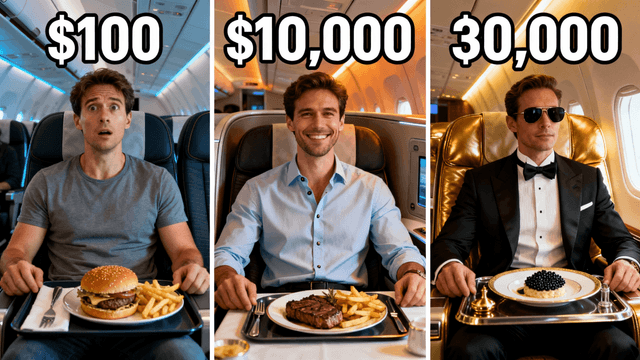




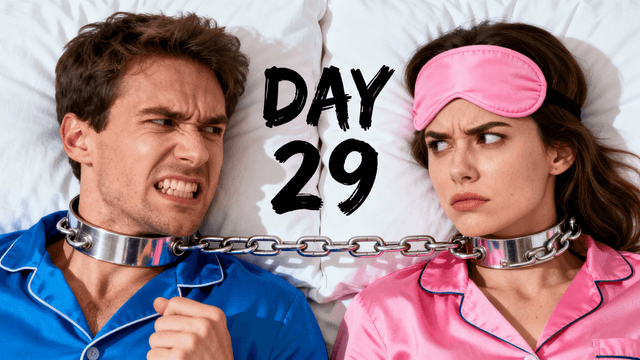

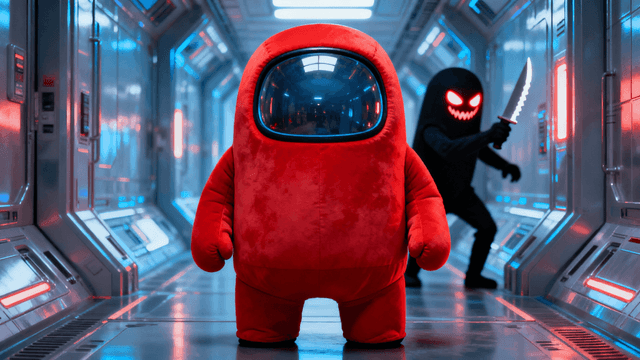
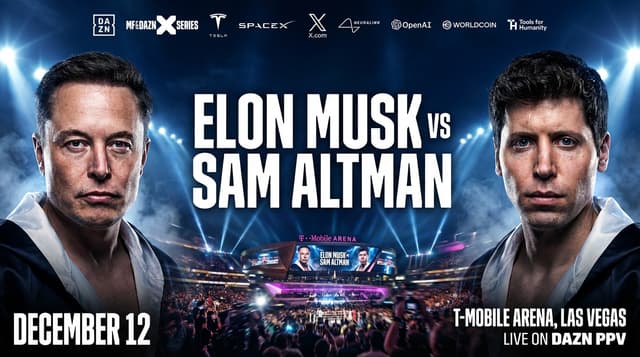
Most AI image generators are trained to make beautiful pictures. Thumbnail Studioo's AI is trained to make thumbnails that get clicked on YouTube. Here is the difference in practice:
Input. You describe your video in plain English. What it is about, who is in it, what emotion you want to convey. No prompt engineering, no special syntax.
Generation. The AI outputs images at 1280x720, YouTube's exact recommended dimensions. It favors high-contrast compositions, expressive faces, and layouts that stay readable at small mobile sizes.
Editing. Every generated thumbnail opens directly in the editor. Add text, remove the background, adjust colors. You do not need to export to another tool.
Export. One click gets you a 1280x720 JPG or PNG under 2MB, within YouTube's upload requirements.
The whole process takes about 5 minutes from blank to upload-ready.
The more specific your prompt, the better the output. These structures work well across different niches.
| Content Type | Prompt Structure | Example |
|---|---|---|
| Challenge / extreme | [Person] + [shocked/excited expression] + [location or object] + [bright background] + space for text | "Person looking shocked holding $10,000 cash, bright yellow background, bold composition" |
| Tutorial / how-to | [Subject or tool] + [clean environment] + [clear visual focus] + [instructional feel] | "Hands on a keyboard with code on screen, clean desk setup, focused lighting, tutorial style" |
| Before and after | Split screen: [left side = before] + [right side = after] + [contrast] + [person reacting] | "Split screen messy room left clean organized room right, person pointing between both sides" |
| Gaming | [Character or player] + [game environment] + [peak action moment] + [game's color palette] | "Minecraft player surrounded by diamonds, underground cave, dramatic lighting, excited expression" |
| Vlog / personal | [Your face] + [expression matching video energy] + [location or context clue] + [bold background] | "Person with surprised expression in front of Eiffel Tower, vibrant blue sky, travel vlog style" |
How It Works
Tell AI what your YouTube video is about. Include topic, tone, and visual style.
AI creates YouTube-optimized thumbnails at 1280x720 with high contrast.
Add text, preview on mobile, adjust colors and composition.
Export and upload directly to YouTube Studio. Perfect format guaranteed.
Who It's For
YouTube creators who need thumbnails that work on mobile where 70% of views happen
Channels competing for clicks in crowded search results and suggested video feeds
Creators frustrated with thumbnails that look great on desktop but fail on phones
YouTubers who need the exact 1280x720 format without manual resizing or cropping
Try These
“YouTuber looking shocked at laptop screen showing huge number, bright colorful YouTube studio background with LED lights, energetic vibe, bold composition for mobile viewing”
“Split screen comparison thumbnail, cheap option on left expensive option on right, person in center pointing to both sides, bright studio lighting, clear visual contrast”
“Excited person celebrating with confetti falling, colorful party atmosphere, big smile and raised hands, YouTube red and white color scheme, space for title text at top”
Benefits
AI optimized for thumbnail creation. Understands what works on the platform.
1280x720 at 16:9 ratio. Never rejected by YouTube for wrong size.
AI prioritizes mobile readability. Text is big, faces are clear, details pop.
Thumbnails designed to stand out among 20 other videos on screen.
Creators add "for YouTube" to their search because they have already tried a generic AI image tool and gotten burned. The output looked like art, not a thumbnail. Wrong dimensions, no text tools, nothing tuned for how small a thumbnail actually displays. They want something built for YouTube specifically, not adapted from a general-purpose image generator.
Our AI thumbnail generator is optimized for YouTube. Describe your video and AI creates thumbnails at the exact 1280x720 dimensions YouTube needs, tuned for readability at the small sizes 70% of viewers actually see. Add text with the YouTube thumbnail editor and export. Sign in and generate your first YouTube thumbnail.
Optimized for YouTube. Right size, mobile-ready, designed to get clicks.
Generate for YouTubeFree 3-day trial • Cancel anytime
FAQ
1280x720 pixels at 16:9 aspect ratio. This AI generator exports at exactly those dimensions automatically.
Use faces with emotions, bright contrasting colors, big readable text (3-5 words max), and zoom out to check it at mobile size before uploading.
70% of YouTube views happen on phones. Your thumbnail appears tiny. If it is not readable small, you lose most potential viewers.
YouTube has built-in A/B testing in Studio. Generate 2-3 variations here, upload them to YouTube, and let data pick the winner.
YouTube thumbnails compete against 20+ other videos simultaneously. They need to pop instantly. Other platforms show fewer options at larger sizes.