1
Describe Your Scene
Tell AI the gym scene, exercise pose, or transformation layout you want. Specific descriptions produce better results on the first try.
Examples
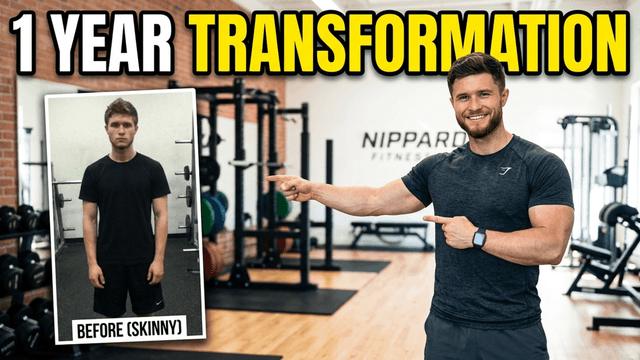
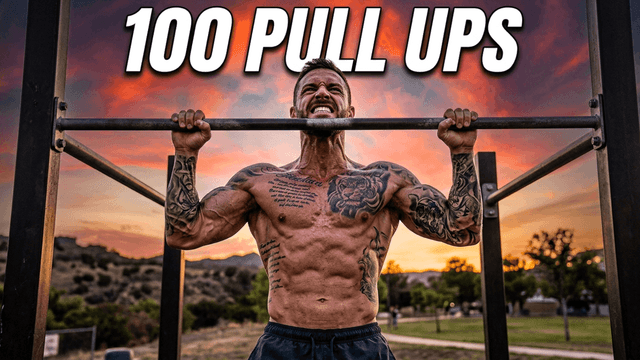
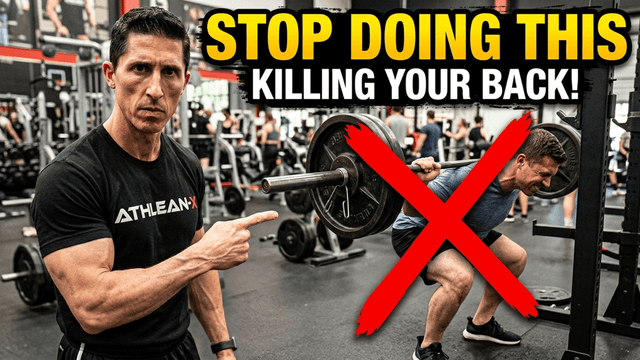
Fitness thumbnails that get high CTR communicate one of two things: a result people want, or an effort that earns their respect. Here's what separates fitness thumbnails that click from ones that scroll past:
Lead with the result, not the process. "LOST 30 LBS" outperforms "HOW TO LOSE WEIGHT" as text because viewers click for the outcome. Show the after, not just the during.
Before-and-after always outperforms single-scene on transformation content. The visual contrast of a split layout tells the whole story in one thumbnail. Two states, one image, instant understanding.
Motivational text works differently in fitness than other genres. Caps lock text like "NEVER AGAIN" or "1 YEAR TRANSFORMATION" triggers curiosity in fitness audiences in ways that softer text doesn't.
Dark gym backgrounds make athletes pop. A white background looks clinical. Dark backgrounds, especially with dramatic lighting, create the high-energy, high-stakes look that fitness content is known for.
Different fitness content calls for different visual approaches:
| Content Type | Thumbnail Style | What AI Should Generate |
|---|---|---|
| Transformation | Before-after split | Two contrasting figures, dividing line, high contrast between states |
| Workout tutorial | Mid-exercise action shot | Athletic person in motion, gym background, dramatic lighting, determined face |
| Challenge video | Reaction or struggle face | Person mid-effort, sweat visible, intense expression, bold text space at top |
| Nutrition/meal prep | Close-up food shot | Appetizing plated meal, professional food lighting, clean background, color-accurate |
| Personal record | Celebration or triumph | Arms raised, victorious expression, gym environment, bright accent lighting |
How It Works
Tell AI the gym scene, exercise pose, or transformation layout you want. Specific descriptions produce better results on the first try.
AI builds your fitness thumbnail from your description in about 30 seconds. HD quality, no watermarks.
Add bold motivational text, adjust the composition, and export at 1280x720 ready for YouTube.
Who It's For
Workout and gym tutorial channels with a consistent upload schedule
Transformation and weight loss channels that need before-after thumbnails
Personal trainers sharing training content on YouTube
Nutrition, meal prep, and health channels
Try These
“Athletic person doing a powerful deadlift in a dark gym, dramatic lighting highlighting muscle definition, determined expression, space at top for bold text”
“Split before-and-after composition: left shows tired unhealthy figure, right shows confident athletic transformation, clean dividing line down center, high contrast”
“Person finishing a sprint on a track at sunset, arms raised in victory, golden hour lighting, sweat visible, triumphant expression, space for motivational text”
Benefits
Describe the gym scene, exercise pose, or before-after layout you want. AI generates it with no equipment, no lighting setup, no photographer required.
Generate each side of your split transformation separately, combine them in the canvas editor, and export as one polished thumbnail.
Add bold caps text with contrast outlines that read clearly at the small sizes viewers see in their feed. Built for fitness content visual style.
Use the same color palette, text style, and composition across every upload. Consistent branding builds subscriber recognition over time.
A fitness thumbnail maker is a tool built for workout, gym, and health YouTube channels. Fitness thumbnails typically use bold motivational text overlaid on strong visual imagery: exercise demonstrations, body transformation comparisons, or high-energy training environments. These thumbnails need to communicate the result or transformation your video delivers in under one second.
Fitness YouTubers upload consistently, including workout tutorials, nutrition videos, transformation stories, and challenge content. Every upload needs a thumbnail that communicates the benefit and energy of the video. Taking new gym photos for every thumbnail is slow and not always possible. Creators search for tools that generate athletic poses, gym backgrounds, and bold motivational text layouts quickly so they can keep up with their upload schedule.
Describe your gym scene or transformation concept to our AI thumbnail generator and get a fitness thumbnail in 30 seconds. Add motivational text with our thumbnail text editor, adjust the composition, and export at 1280x720. Start your free trial.
Describe the gym scene, transformation, or workout you want. AI builds it in 30 seconds. Bold text, HD export, no watermarks. Start your free trial.
Make Fitness Thumbnails FreeFree 3-day trial • Cancel anytime
FAQ
Yes. Describe the specific exercise, environment, lighting, and physique you want. AI generates it from your text description. Specific prompts produce better results; include the exercise, lighting style, background, and the expression or energy you want.
Generate each side of the before-and-after separately using AI, then combine them in the canvas editor with a dividing line. You can also upload existing photos and use the editor to build the split layout manually.
Bold caps text with a dark outline reads best at thumbnail size. Keep it to 3-5 words focused on the result: the transformation, the number, or the challenge outcome. Avoid long sentences.
Yes. Upload your own photos and use the canvas editor to add text, swap backgrounds, and export. AI generation and editing from your own photos both work in the same tool.
Yes. Start a 3-day free trial with full access to AI generation, the canvas editor, and HD exports. No watermarks. Cancel anytime before the trial ends.