1
Describe the Reveal Moment
Write the scene: an impostor reveal, a shocked crewmate, a real-life recreation. Be specific about the expression and setting.
Examples
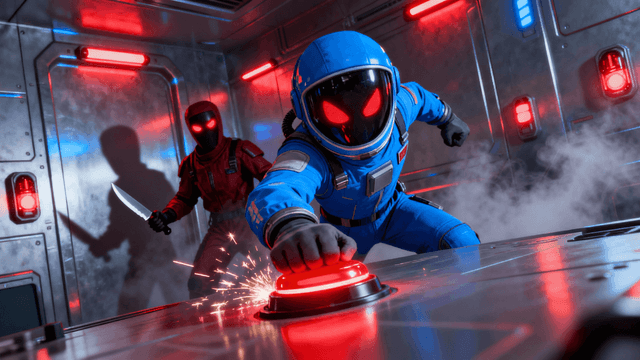
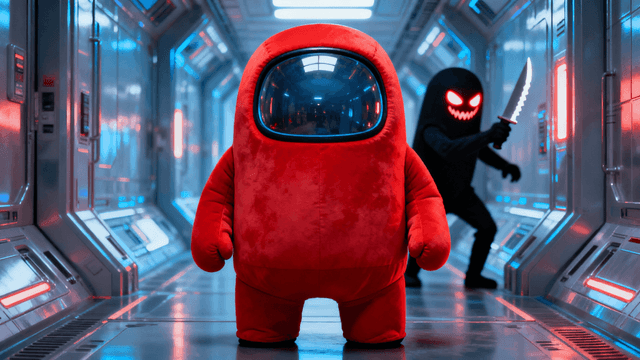
Different Among Us formats call for different thumbnail approaches:
| Content Type | Thumbnail Approach | Example AI Prompt |
|---|---|---|
| Impostor reveal | Shocked crewmate + red impostor silhouette | Shocked person pointing at a red impostor silhouette, dramatic spotlight, dark spaceship corridor |
| Real-life recreation | Costumed group mimicking the meeting screen | Group of people in colorful bean-shaped costumes standing in a circle, dramatic overhead lighting |
| Ejection / vote drama | Character voted off mid-air with a callout | Cartoon-style bean character ejected into space, other characters watching, red alert lighting |
| Clutch round | Tense two-person standoff in a task room | Two characters facing off in a tight corridor, flashing red emergency lights, high tension |
Among Us thumbnails work on the same three-beat structure as any social deduction content. The accusation: a pointed finger, a suspicious glance, or a red flag on one character. The reaction: a genuinely shocked or betrayed expression sells the drama better than a neutral screenshot ever could. The reveal text: name the outcome without giving it away, "HE WAS THE IMPOSTOR THE WHOLE TIME" works because it's specific. Put those three together and viewers get the same two-second story that makes reaction content clickable.
How It Works
Write the scene: an impostor reveal, a shocked crewmate, a real-life recreation. Be specific about the expression and setting.
AI builds a dramatic, on-theme background from your description in about 30 seconds, no screenshot needed.
Add bold callout text naming the outcome and match the game's signature red, black, and white palette.
Download at 1280x720, ready to upload, no watermarks on any plan.
Who It's For
Among Us content creators who need a new reveal-moment thumbnail for every round
Real-life Among Us recreation channels dramatizing the meeting and vote scenes
Social deduction and mystery-format creators covering ejections and clutch rounds
Gaming channels mixing Among Us with reaction-style commentary
Try These
“Shocked person pointing at a red spaceship character, red flashing lights, dark hallway background, wide scared eyes, 16:9 YouTube thumbnail”
“Group of friends wearing colorful round costumes standing in a circle, warm room light, big shocked faces, funny meeting scene, 16:9 YouTube thumbnail”
“Small round character flying out into space full of stars, other characters watching from a window, dark blue background, 16:9 YouTube thumbnail”
“Close up on a suspicious face with narrow eyes, red alert light flashing behind them, dark background, tense mood, 16:9 YouTube thumbnail”
“Two round characters facing each other in a narrow hallway, bright overhead light, sharp shadows, standoff moment, 16:9 YouTube thumbnail”
Benefits
Generate the shock, suspicion, or betrayal expression your thumbnail needs without waiting for the perfect in-game screenshot.
Red, black, and white color schemes that read as Among Us instantly, whether your video is gameplay or a real-life recreation.
Describe the scene in words and get a usable background in about 30 seconds, useful for real-life and mod-based content with no matching footage.
Add text, adjust the layout, and export in under five minutes so your thumbnail is ready before the video finishes rendering.
Among Us thumbnails compete on suspicion and betrayal, not gameplay footage, since most of the game happens in a meeting screen and text chat. A flat lobby screenshot doesn't show who got backstabbed or how close the vote was. Creators need thumbnails that dramatize the reveal, the ejection, or a real-life recreation without a full production setup.
Describe the moment, an impostor reveal, a shocked crewmate, a real-life meeting recreation, and the AI thumbnail generator builds the background in seconds. Add bold reveal text with the thumbnail editor, match the game's red-black-white palette, and export at 1280x720. Sign in to start.
Describe the reveal, the ejection, or the clutch round. AI builds the background in seconds. Bold text, 1280x720 export. Try free for 3 days.
Start Making Among Us ThumbnailsFree 3-day trial • Cancel anytime
FAQ
1280x720 pixels at 16:9, YouTube's standard size. Thumbnail Studioo exports at exactly this size and keeps the file under YouTube's 2MB limit automatically.
Yes. Describe the scene, costumes, meeting room, reveal moment, and the AI generates a background even though there's no in-game footage to screenshot.
An accusation or reveal moment, a genuinely shocked or suspicious expression, and short callout text that names the outcome without spoiling it. These consistently outperform plain lobby screenshots.
Yes. Upload your screenshot and use the editor to add text, adjust colors, and export. AI generation and photo uploads both work in the same tool.
Yes. Start a 3-day free trial with full access to AI generation, the editor, and HD export. No watermarks. Cancel anytime.